


Reolink Home Hub Wireless Security System with Encrypted Local Storage and Multi-Device Management
€ 109,00
Out of stock
- 64GB microSD card included
- Exclusive anti-theft algorithm
- Supports up to 8 Reolink IP cameras
- No monthly fee
Local video storage
Stay in control of your data and minimize risks! This Home Hub comes with a 64GB microSD card and an expansion option—you can use microSD cards with up to 512GB*2 of storage. Unlike traditional cloud storage, your recordings are stored securely on-premises at no extra cost to protect your privacy.
-
64GB microSD card
including
-
Up to 512 GB*2
microSD card slot
-
No additional costs
All-in-One Security Solution
With support for up to 4K resolution and the ability to integrate up to 8 Reolink IP cameras—such as Wi-Fi cameras and battery-powered cameras—it’s the perfect choice as a central management hub for your Reolink security system. You can set up your own custom security center to suit your specific needs.
Local security at no extra cost
Encrypted storage
The unique anti-theft encryption algorithm guarantees the highest level of data protection. Even if the device or SD card is stolen, the recordings remain unreadable to unauthorized persons.
Offline storage
Enjoy true offline storage—even if your network connection is interrupted, your recordings will be safely stored on the Reolink Home Hub without any data loss. Video security is more reliable than ever before.
LAN access
The Home Hub enables a local LAN system to maximize your privacy. The battery-powered camera, Home Hub, and viewing device can all be operated within the Hub network to provide LAN access without an internet connection
24/7 comprehensive protection for every corner
Full HD Mainstream & Playback
With just a few taps in the Reolink app, you can easily access high-resolution live streams or playback from multiple devices.
Reliable Alarm Control Center
When an IP camera connected to the Reolink Home Hub triggers an alarm, the Home Hub’s ringtone can be activated. Multiple alarms provide comprehensive security protection. Choose from a variety of ringtones or create your own.
Simple and clean setup
Step 1
Start the Home Hub
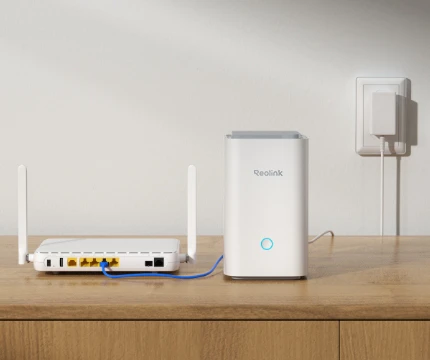
First, plug the Reolink Home Hub into a power outlet, and then connect it to your router using the included Ethernet cable.
Step 2
Initial Configuration
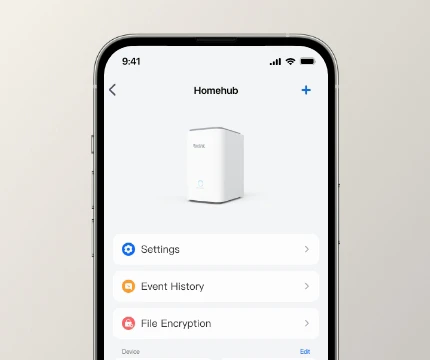
Open the Reolink app and follow the instructions to complete the initial setup of the Reolink Home Hub and add the device to the hub.
Step 3
Experience Home Hub
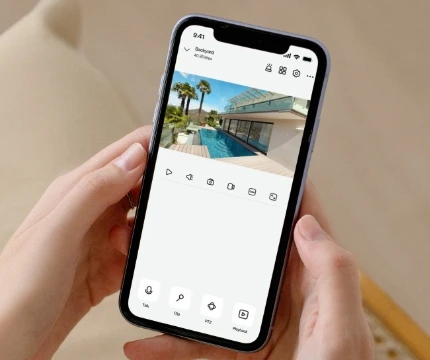
Access the camera remotely and view the live feed via the app. The Home Hub is compatible with all Reolink Wi-Fi and PoE cameras and is specifically designed for use with Wi-Fi battery-powered cameras.
Everything under control, anywhere and anytime
Periodic Safety Report
The Reolink app or client interface provides a quick overview of motion detection event statistics by day, week, or month, and allows you to view notification times and smart playback for all devices connected to the hub. The latest alarm recordings from all devices in the hub are displayed clearly and sorted by alarm time, helping you stay on top of things at all times.
| Manufacturer | |
|---|---|
| Manufacturer's Part No. | |
| EAN |
Only registered customers who have purchased this product may submit a review.


Reviews
There are no reviews yet.